What happens when I mark a ticket as spam?
Marking a ticket as spam performs the following actions:
- The ticket is moved to the Spam folder and removed from active queues.
- The sender is flagged to help identify future spam.
- Spam tickets are excluded from your SLA metrics and reports.
Who can mark spam:
- Admins and Agents (customers cannot)
How to mark as spam:
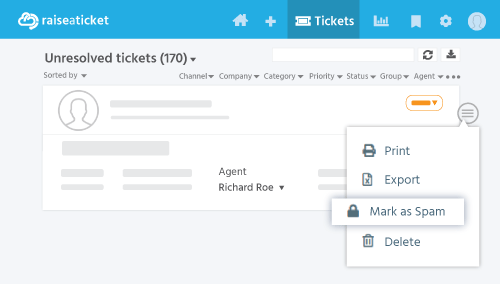
- Individual: Open ticket > More menu > Mark as Spam.
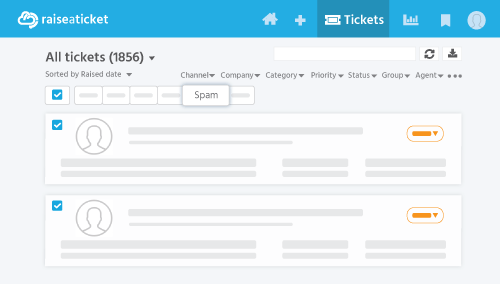
- Bulk: Select multiple tickets > Bulk actions > Mark as Spam.
Recovering a ticket from spam:
If a legitimate ticket was marked incorrectly, an Admin can restore it from the Spam folder.
Individual Spam
Bulk Spam
Note: Marking as spam does not permanently block the sender's domain. You may still receive tickets from other users at the same domain.
Last reviewed17 August 2026
Maintained byRaiseaticket Support
Applies toFree plan
Required roleAdministrator
