How do I pause or stop the SLA timer on a ticket?
The SLA timer automatically pauses and resumes based on ticket status:
Timer RUNNING:
- Open (new ticket, awaiting agent action).
- Re-opened (customer replied or ticket re-opened).
Timer PAUSED:
- Pending (waiting for customer reply or external input).
- On Hold (paused by agent)
Timer STOPPED:
- Resolved
- Closed
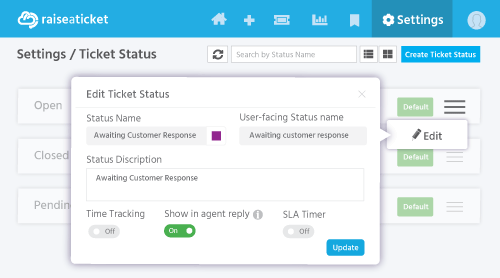
To pause the SLA timer, change the ticket status to "Pending" or any custom status configured to pause SLA.
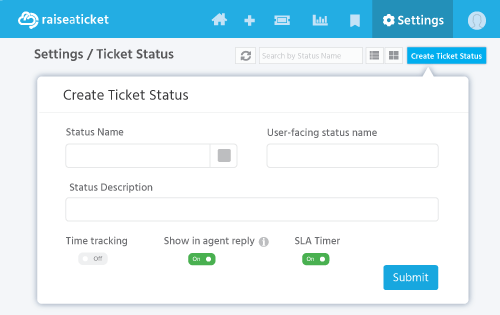
You can configure which custom statuses pause or continue the SLA timer in Settings > General > Statuses (look for the "SLA Timer" toggle).
Designing your own? The SLA policy workbook walks through the six decisions behind a policy that survives a real week - priorities, operating hours, holidays, pausing the clock, targets and who owns a breach - and assembles one you can copy.
Last reviewed17 August 2026
Maintained byRaiseaticket Support
Applies toFree plan
Required roleAdministrator
