How do I view my billing history?
To view past payments and download invoices:
- Log in as Admin or Super Admin.
- Go to Settings > Agents (or Billing/Subscription section).
- Look for "Payment History" or "Billing History".
- View transaction details including date, amount, and packs purchased.
- Download invoices as needed.
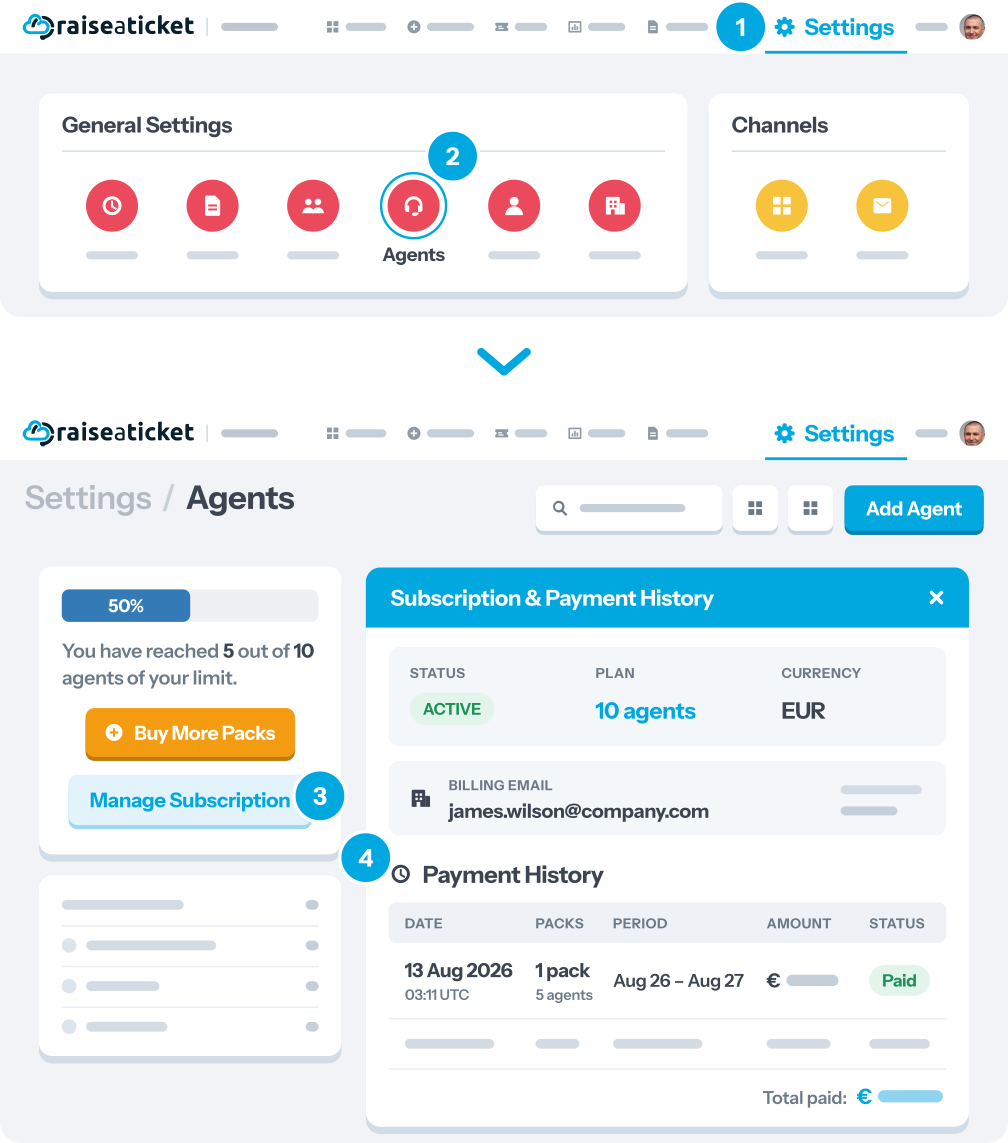
Each record shows:
- Transaction date
- Number of packs purchased
- Amount charged
- Currency
- Billing period covered
Last reviewed17 August 2026
Maintained byRaiseaticket Support
Required roleAdministrator
