How do I update my payment method?
To update your payment method:
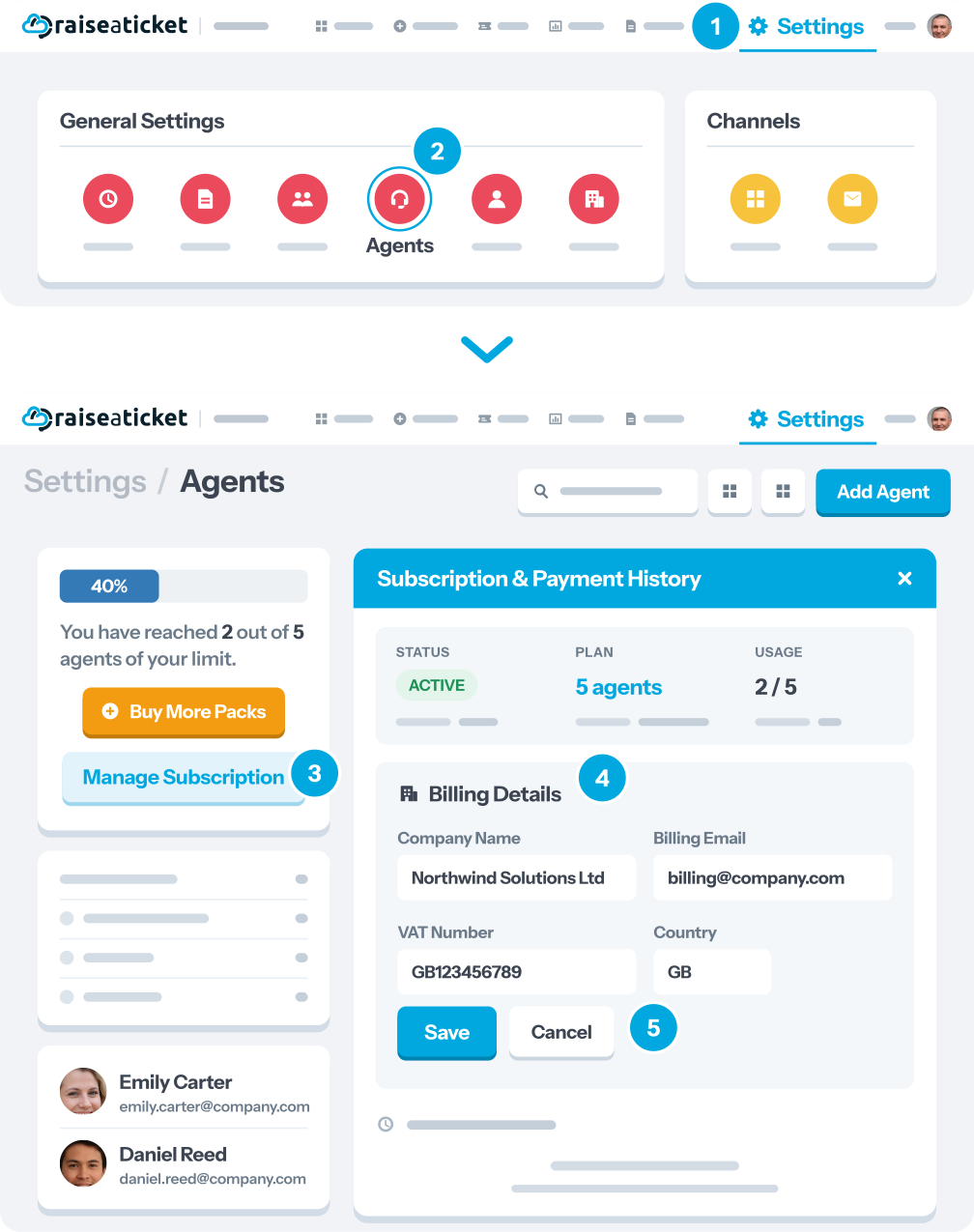
- Log in as Admin or Super Admin
- Go to Settings > Agents (or Billing)
- Click "Manage Payment Method" or "Update Payment".
- Enter your new card or payment details
- Save changes
Your updated payment method will be used for:
- All future renewals
- Any pending retry (if a previous payment failed).
If you had a failed payment, updating your method will automatically trigger a retry.
Last reviewed17 August 2026
Maintained byRaiseaticket Support
Required roleAdministrator
