How do I manage groups and assign agents?
Groups let you organize agents into teams (e.g., Billing, Technical Support, Sales).
Creating a group:
- Go to Settings > General > Groups
- Click "Add Group"
- Set group name and description
- Assign operating hours (business hours schedule).
- Optionally set a default agent and auto-routing rules.
- Save
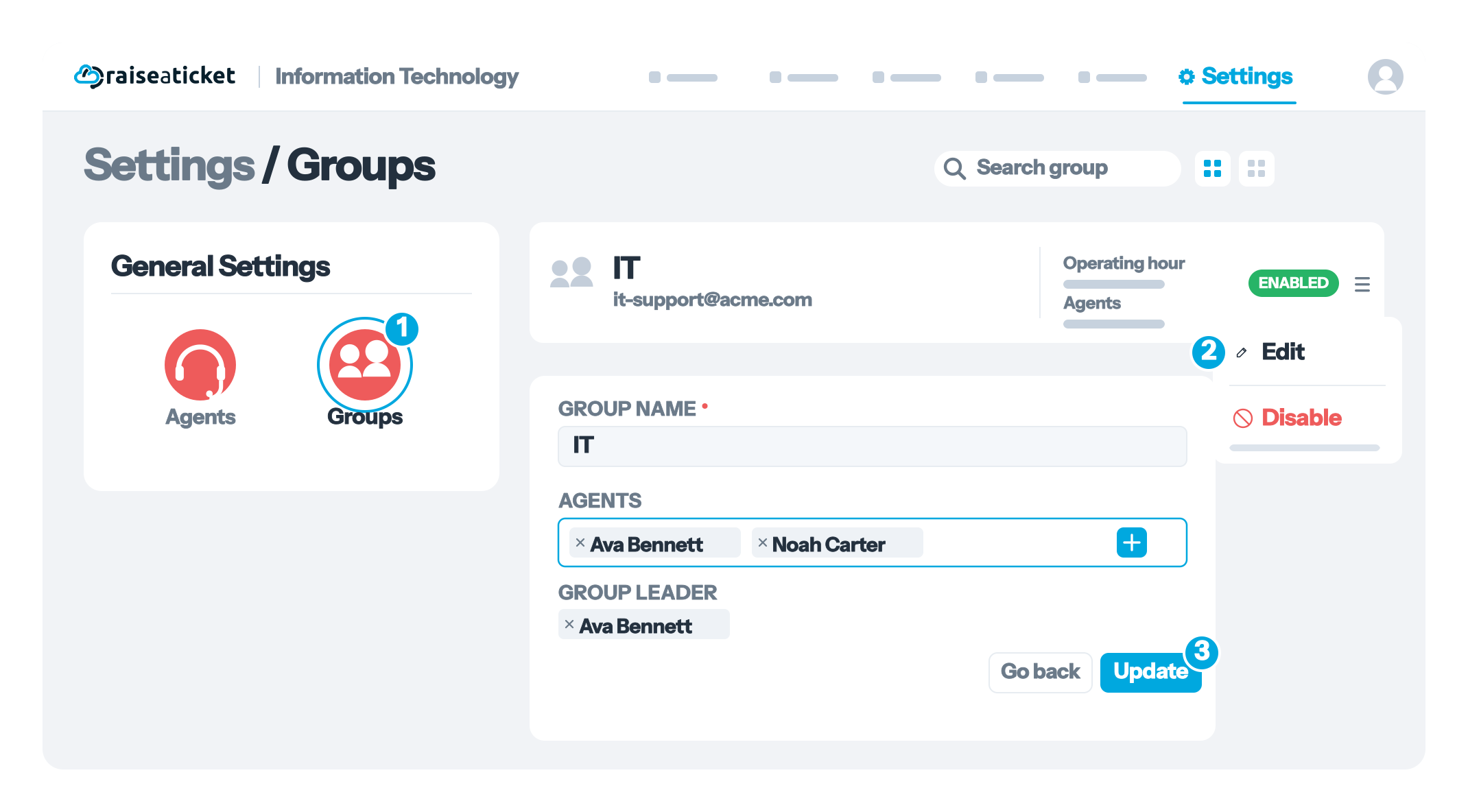
Managing group members:
- Click on a group to open its details
- Click "Add Member"
- Select agents to add
- Remove members by clicking the remove button next to their name.
Ticket routing:
- Tickets can be assigned to a group (any member can respond).
- Auto-routing automatically assigns tickets to a group based on rules.
- Agents see their group's tickets in addition to their personally assigned ones.
Last reviewed17 August 2026
Maintained byRaiseaticket Support
Applies toFree plan
Required roleAdministrator
