How do I manage spam tickets?
Raiseaticket provides several tools to handle spam:
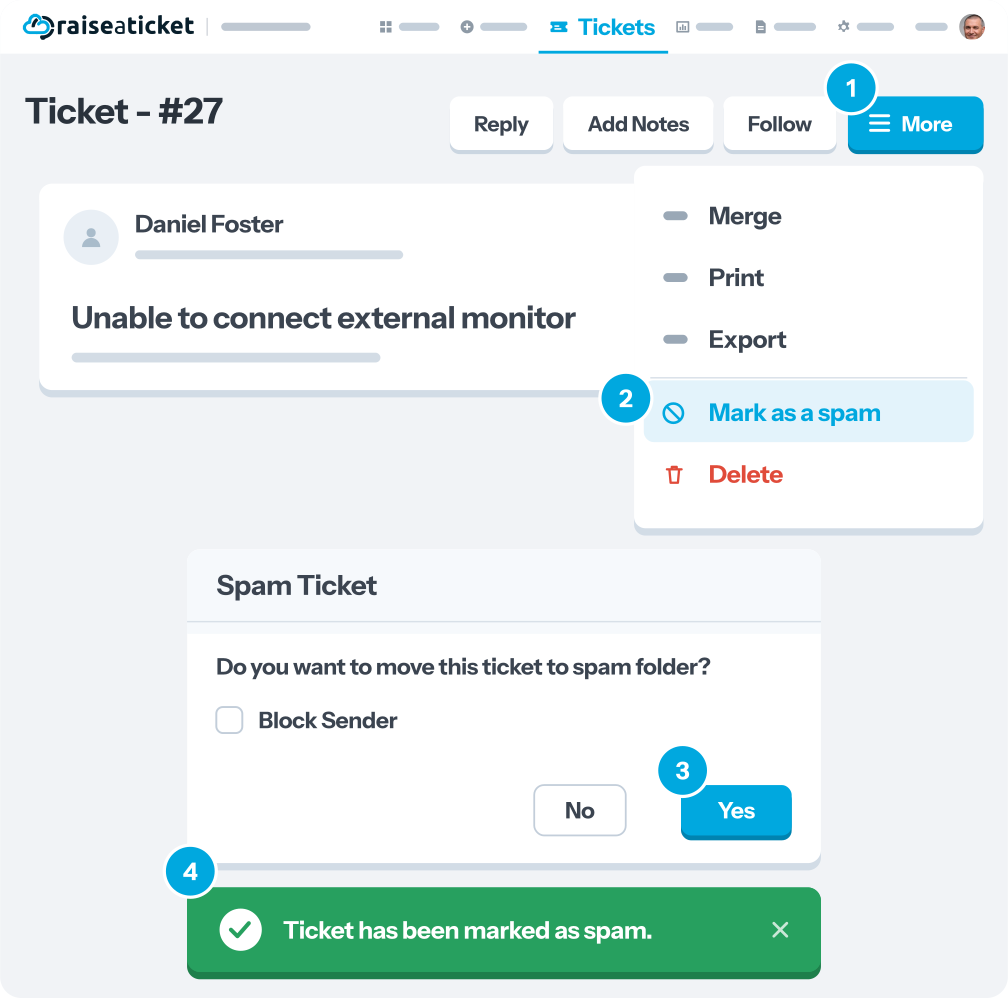
Marking individual tickets as spam:
- Open the ticket
- Click More menu > Mark as Spam
- The ticket is moved to the Spam folder
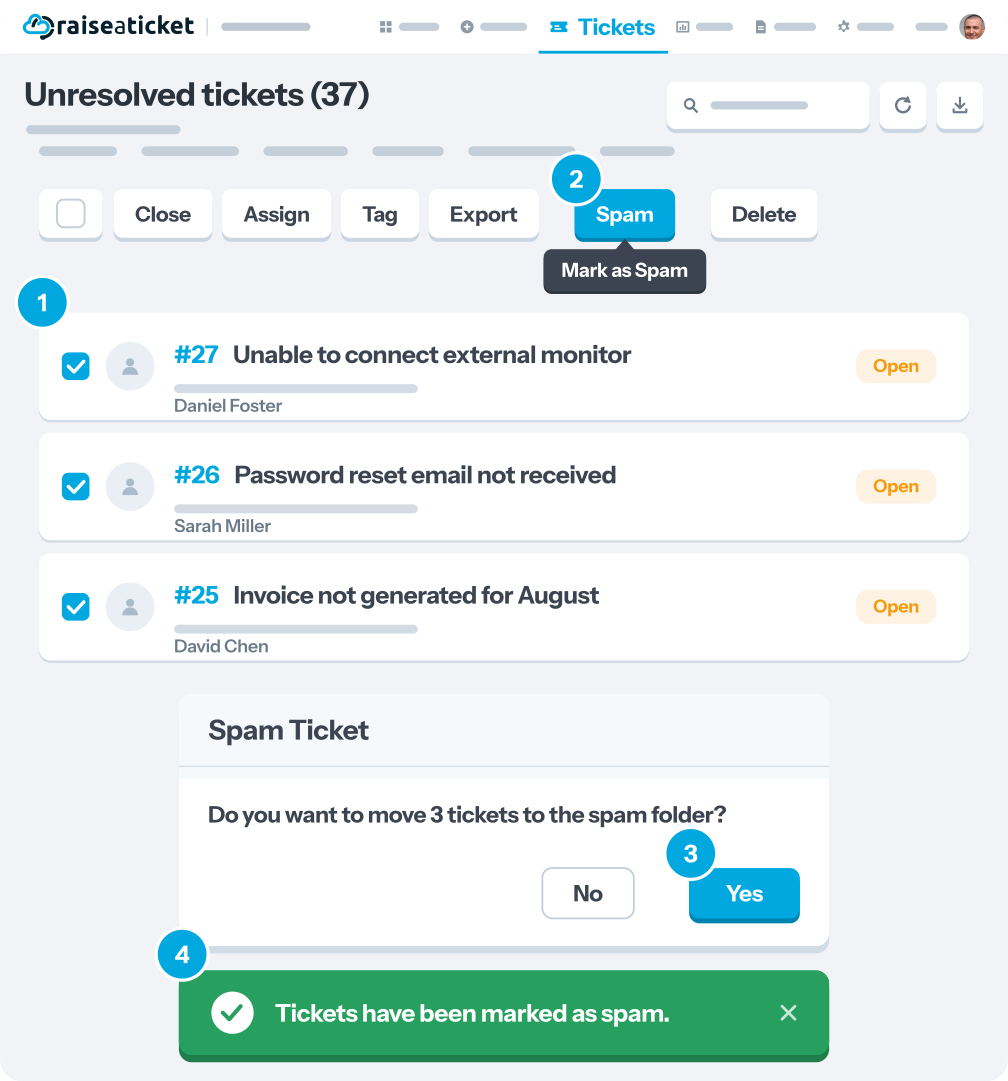
Bulk spam actions:
- Select multiple tickets from the ticket list.
- Click Bulk Actions > Mark as Spam
What happens to spam tickets:
- Removed from active ticket queues
- Excluded from SLA calculations and reports.
- Sender is flagged for future reference
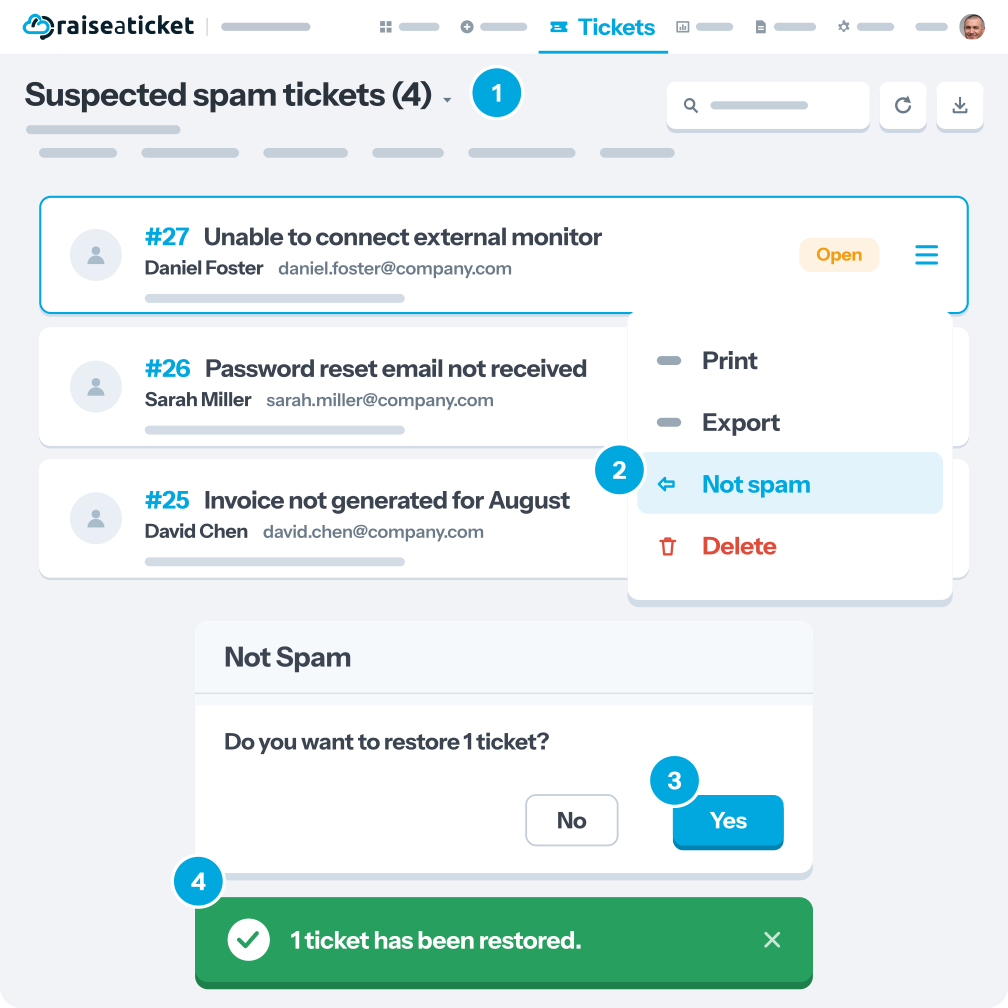
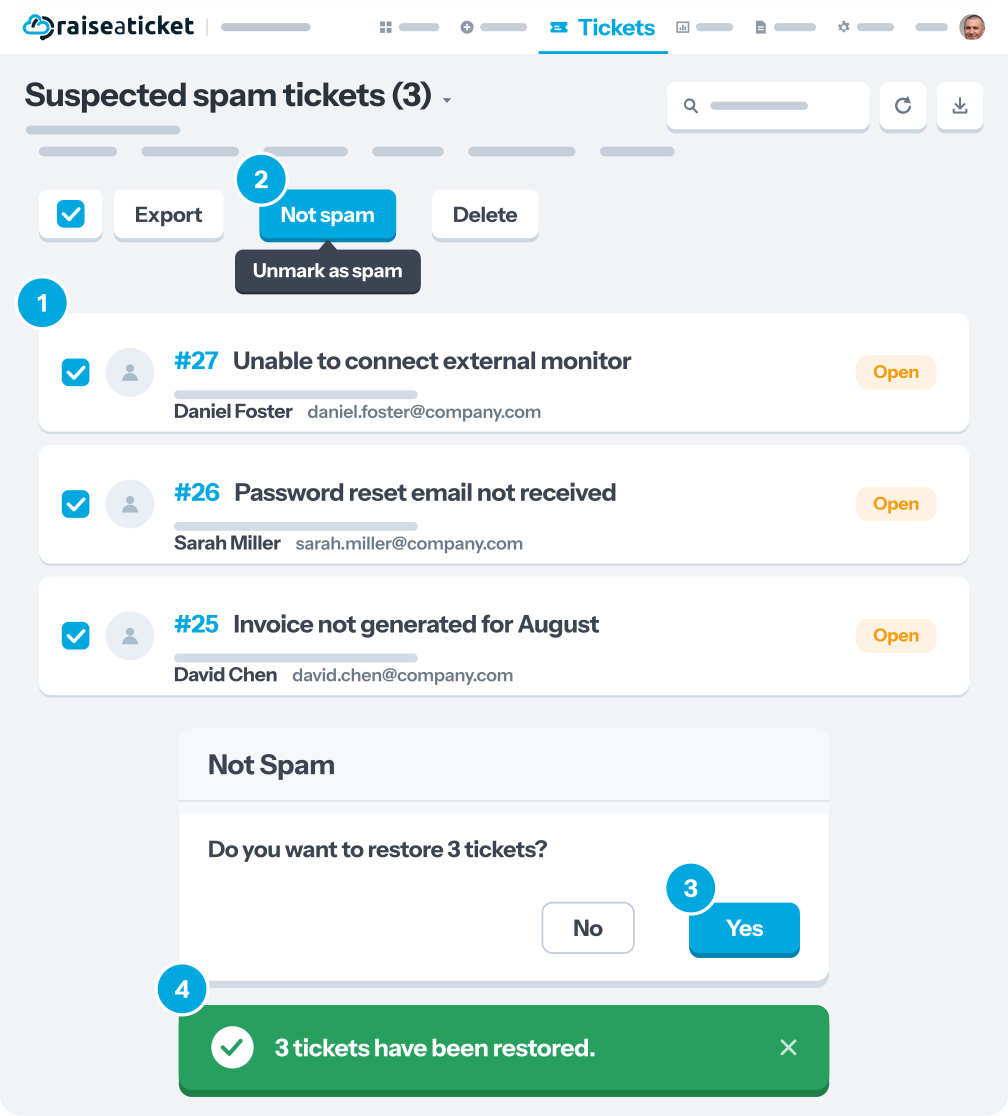
Recovering false positives:
- Go to the Spam folder
- Select the ticket > Remove from Spam
- The ticket returns to active status
Note: Only agents and admins can mark tickets as spam. Customer users do not have access to this feature.
Last reviewed17 August 2026
Maintained byRaiseaticket Support
Applies toFree plan
