How do I manage departments and categories?
Departments and categories help organize your support structure.
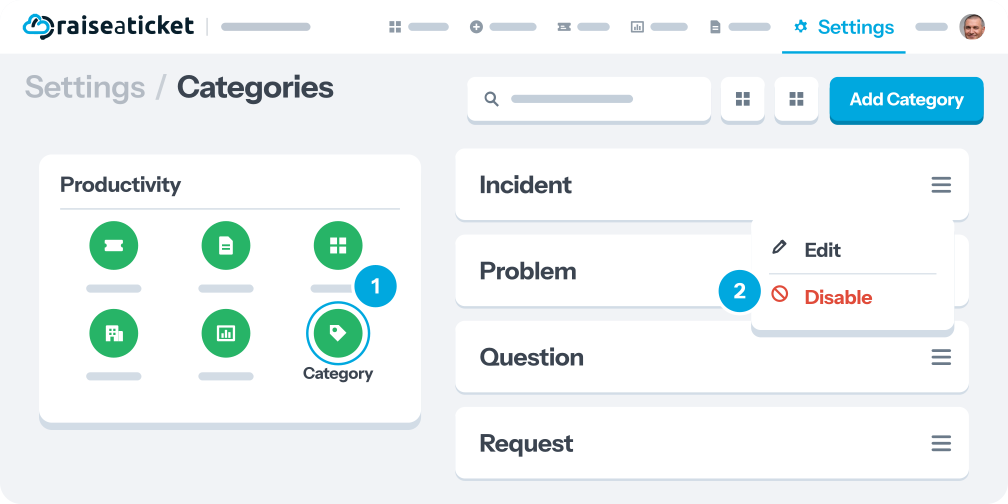
Categories (ticket types):
- Define the nature of incoming tickets (e.g., Billing, Bug Report, Feature Request).
- Customers select a category when creating a ticket.
- Manage in Settings > Productivity > Categories.
- Enable/disable categories without deleting them.
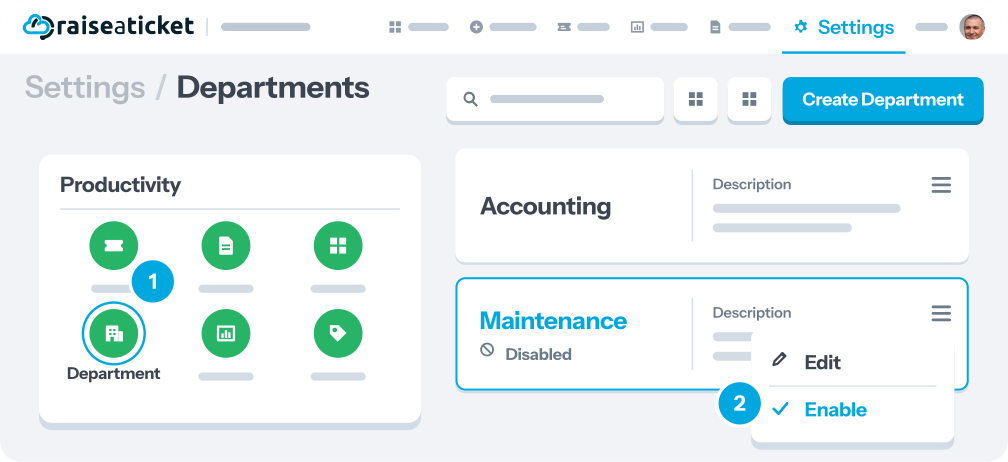
Departments (organizational units):
- Represent your internal team structure (e.g., IT, HR, Finance).
- Used for ticket routing and reporting
- Manage in Settings > Productivity > Departments.
- Enable/disable as needed
Tips:
- Keep categories customer-friendly (customers see them).
- Use departments for internal routing (less visible to customers).
- Both can be used in report filters for targeted analytics.
Last reviewed17 August 2026
Maintained byRaiseaticket Support
Applies toFree plan
Required roleAdministrator
