How do I create a ticket on behalf of a customer?
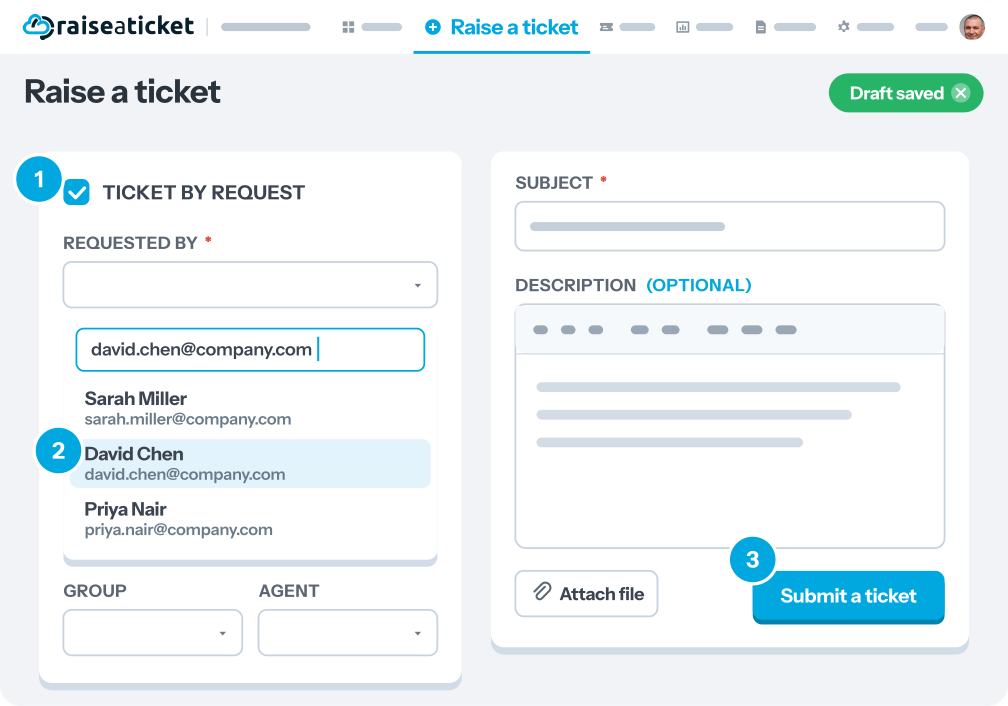
Agents and admins can create tickets on behalf of customers:
- Click "New Ticket" or "Create Ticket"
- In the "Requester" or "On Behalf Of" field, search for the customer.
- If the customer does not exist, you can enter their email to create them.
- Fill in the ticket details (subject, category, priority, description).
- Optionally: assign to a group or agent, add tags.
- Click Create
The customer will receive a notification about the new ticket and can reply to it normally.
This is useful when:
- A customer calls or chats and you need to log the request.
- You need to proactively create a ticket for a known issue.
Last reviewed17 August 2026
Maintained byRaiseaticket Support
Applies toFree plan
Required roleAgent
