How can I track the time spend on each ticket by an agent?
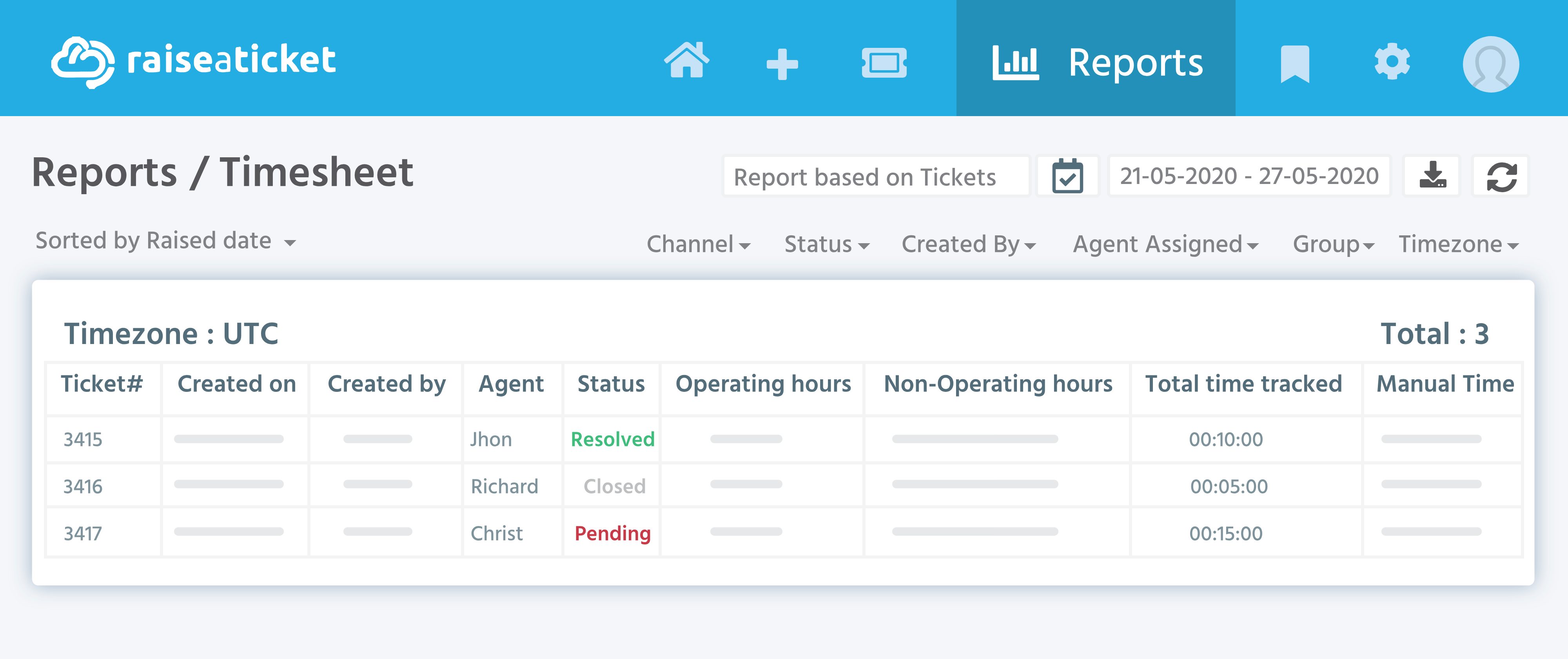
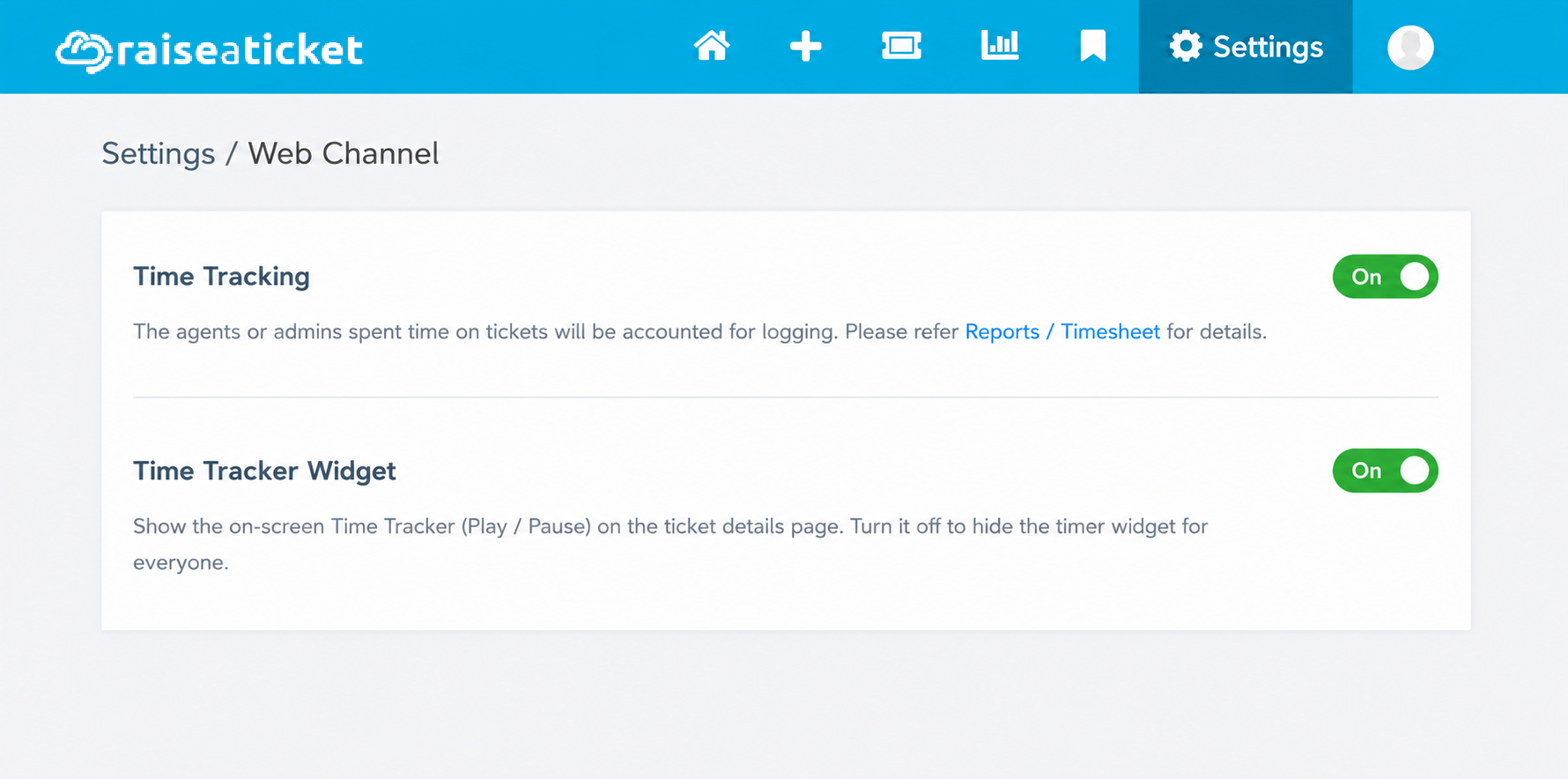
Raiseaticket by default tracks the time spend on any given ticket by the agent. These reports can be accessed by clicking Reports/Timesheet. The time accounting feature can be disabled/enabled individually for any agent or globally for the helpdesk portal.
The timer controls allow agents to manage their tracked time directly from the ticket. Play starts the timer, and Resume continues a paused timer. Time is tracked automatically while the timer is running. Pause stops the timer until it is resumed.
When a ticket is reassigned, the timer transfers to the newly assigned agent. Each agent's time is tracked separately, while the ticket's total tracked time continues to accumulate. See the Timesheet Report for the per-agent breakdown.
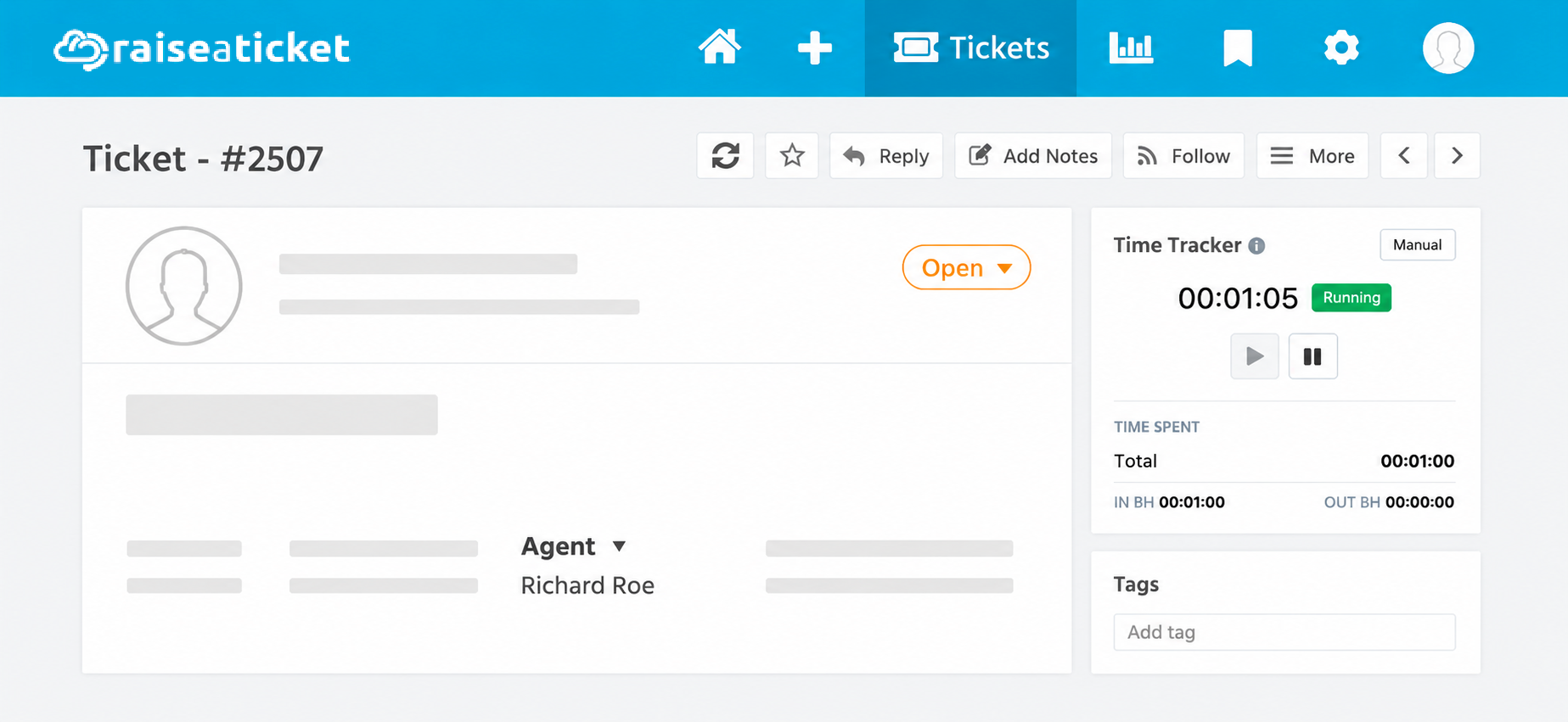
Only the assigned agent can run the timer. The timer is available only when billing is enabled and the ticket is in a billable status. It is disabled for resolved or closed tickets.
An admin can enable or disable the timer controls for the entire account under Settings → Channels → Web.
