How do I set up SLA reminders?
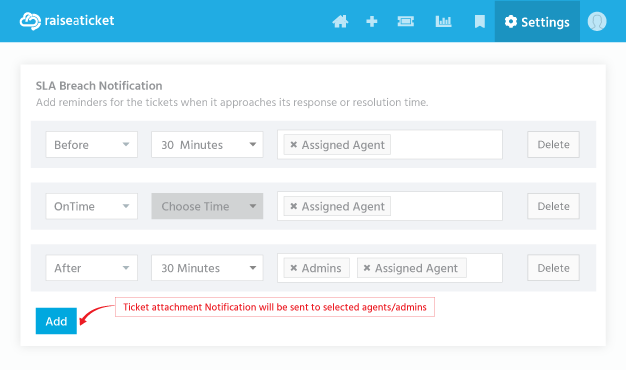
To set up SLA reminders, go to Settings > SLA Policies, open the policy and scroll to SLA Breach Notification. You can add up to three reminders, one of each type:
- Before - 10, 15, 20 or 30 minutes before the response or resolve due time.
- OnTime - when the due time is reached.
- After - 10, 15, 20 or 30 minutes after the resolve due time (only when Resolve within is switched on).
For each reminder, choose who is notified - the assigned agent, admins or named agents. Each reminder is sent once per ticket, and tickets that are paused, resolved or closed are not reminded.
More on this topic: help desk SLA guide and automatic ticket assignment.
Last reviewed17 August 2026
Maintained byRaiseaticket Support
Applies toFree plan
