Can I delete a ticket?
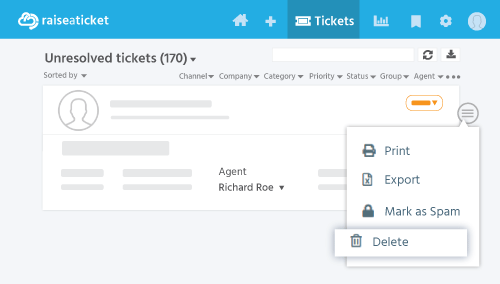
Yes, Admins can delete tickets:
- Open the ticket
- Click More menu > Delete
- Confirm deletion
Important:
- Only Admins and Super Admins can delete tickets.
- Deleted tickets are soft-deleted (moved to trash) and can be recovered.
- Agents cannot delete tickets - they can only mark as spam or close
.
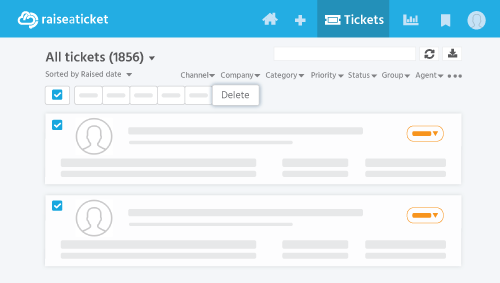
For bulk deletion:
- Go to Tickets list
- Select multiple tickets using checkboxes.
- Click Bulk Actions > Delete
Tip: Consider closing tickets instead of deleting them to preserve audit history.
Last reviewed17 August 2026
Maintained byRaiseaticket Support
Applies toFree plan
Required roleAdministrator
