How do I reset my password?
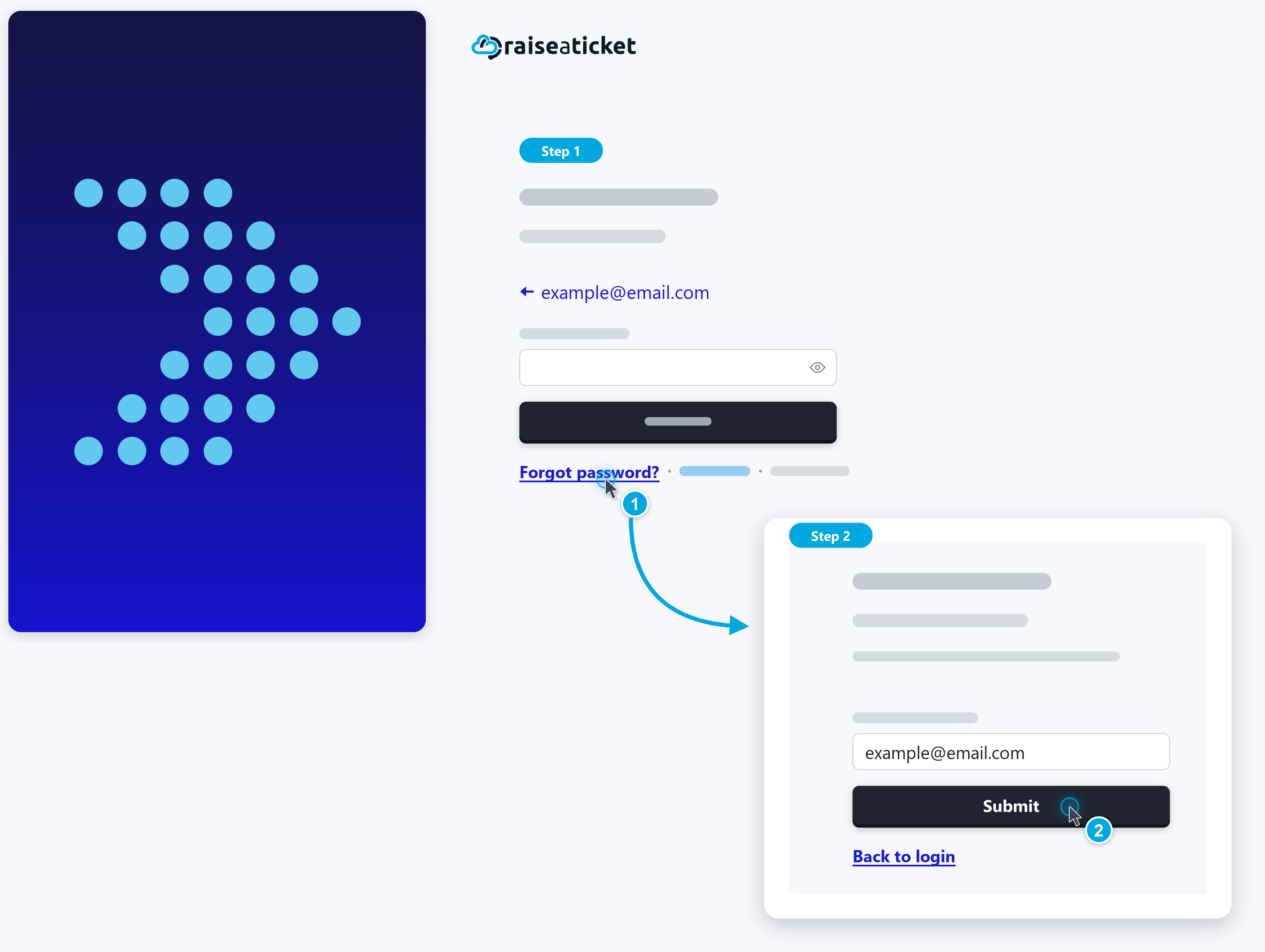
If you have forgotten your password:
- Go to your portal login page
- Click "Forgot Password"
- Enter your registered email address
- Check your email for a password reset link.
- Click the link and set a new password
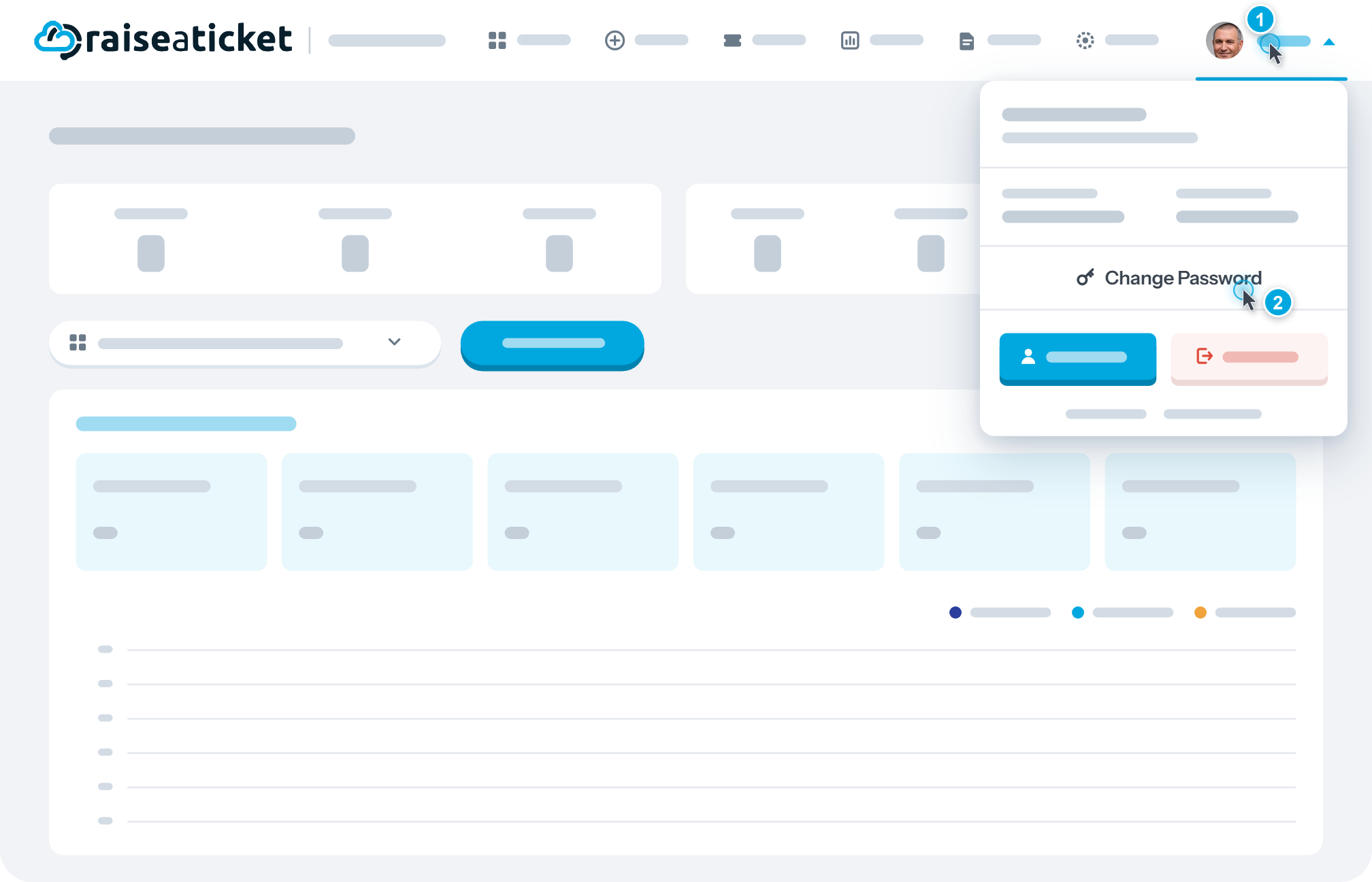
If you are logged in and want to change your password:
- Click your profile/name in the portal
- Select "Change Password" or "Edit Profile".
- Enter your current password and new password.
- Save changes
Note: Password reset links expire after a set time. If yours has expired, request a new one.
If you are an admin and need to reset an agent's password:
- Go to Settings > Agents > select the agent > resend activation email.
Last reviewed17 August 2026
Maintained byRaiseaticket Support
Applies toFree plan
Required roleAdministrator
