How do I build a report?
Custom Reports let you choose what each row represents, which columns to show, and how to filter - then run, download or schedule the result.
How to build one
- Choose the based on dimension, which sets both the row and the date basis
- Tick the columns you want
- Apply filters to narrow the result
- Run it, download it as Excel, or schedule it by email
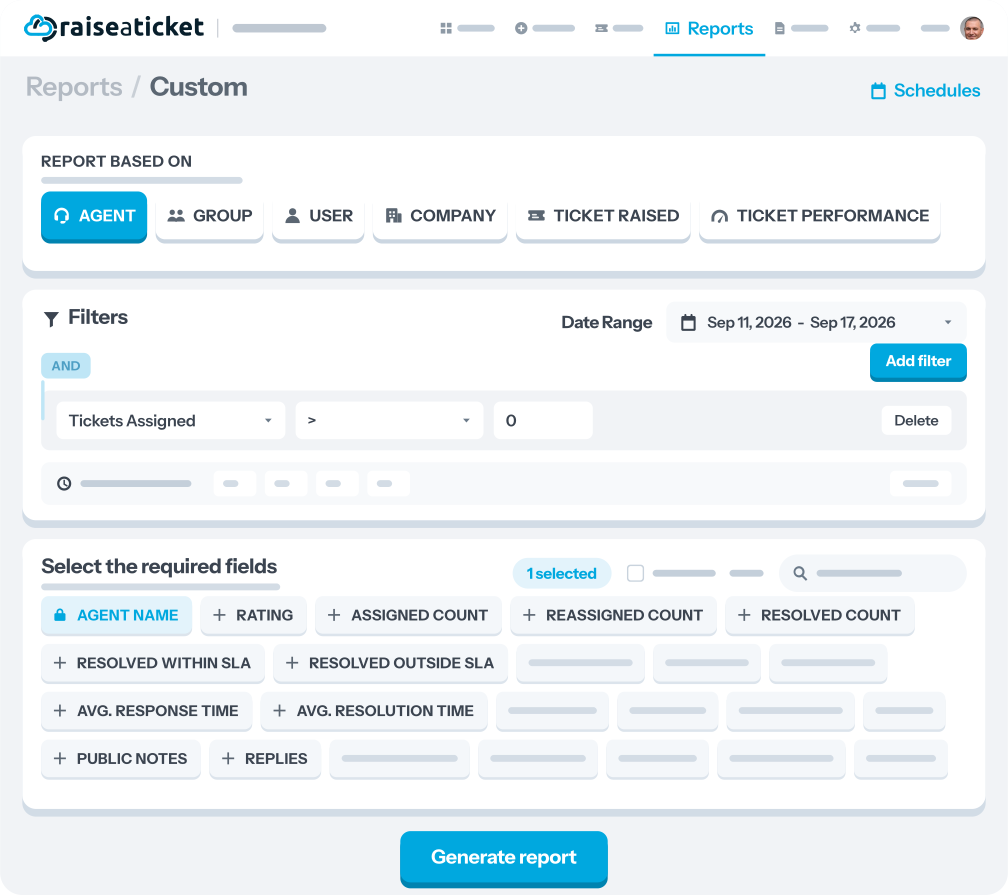
What each row can represent
Choose from Agent, Group, User (the customer raising tickets), Company, Ticket (raised), or Ticket Performance. Each dimension supports its own filters:
|
Based on |
Filters available |
|
Agent |
Date, Ticket Response, Ticket Resolution, Replies, Notes, SLA |
|
Group |
Date, Ticket Response, Ticket Resolution, Notes, SLA, Channel |
|
User |
Date, Ticket Response, Ticket Resolution, Replies, Notes, SLA, Channel |
|
Company |
Date, Ticket Response, Ticket Resolution, Notes, SLA, Channel |
|
Ticket (raised) |
Date, Ticket Response, Ticket Resolution, Replies, Notes, SLA, Channel, Department |
|
Ticket Performance |
Date, Ticket Status, User, Agent |
Which columns you can include
Counts: Raised, Resolved, Unresolved, Assigned, Unassigned, Reassigned, Public and Private notes, Replies, and Approval requests.
Descriptive: Title, Status, Priority, Agent, User, Channel, Department, Rating, Tags, Raised On, and Overdue status.
Time and SLA: first-response time and resolution time (average, minimum and maximum), resolved and responded within versus outside SLA, and tracked Operating and Non-Operating hours.
Related
Status, Department and Tag can only be filtered here, not in Ticket Reports. See Filtering reports and dashboards.
