Can I share a dashboard?
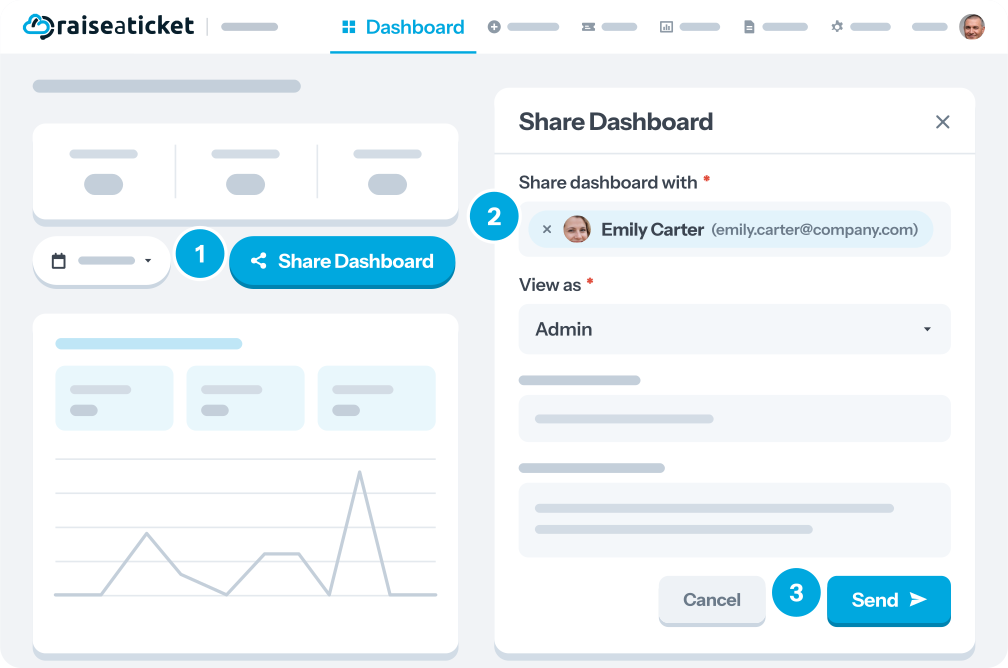
A dashboard can be shared with other agents from the dashboard page itself.
|
Availability |
Free plan |
|
Required role |
Administrator by default. Sharing is off for agents until an administrator enables it |
How to share
- Open the dashboard page
- Click Share Dashboard
- Select or add the agents who should see it, or the recipient email address
Letting agents share dashboards
Agent sharing is disabled by default. To turn it on, go to Settings > Agents > Edit and toggle the share dashboard option in that agent's profile settings.
Last reviewed17 August 2026
Maintained byRaiseaticket Support
Applies toFree plan
Required roleAdministrator
